How I use AI in research and teaching, with selected interactive projects.
I am increasingly adapting my regular research and teaching workflows to make practical use of AI. I work with many AI agents and use many major model providers. I also have an agent-managed GitHub account, rqzhu-aide. My favorite agent is Hermes Agent, which I use to build reusable workflows that support research planning, coding, analysis, writing, course development, and classroom activities. These systems help me move between ideas and working tools more efficiently, while I remain responsible for the scientific questions, evidence, and decisions. I strongly support open-source development and aim to make these tools and workflows available for others to inspect, adapt, and build upon.
I wrote the opinion paper When Statisticians Can Also Be AI Engineers, What Could We Build? to share some thoughts on how statisticians can build useful agentic tools. I advocate for a “domain-specific interactive harness” in which statistical expertise shapes the system’s proactive behavior across multiple rounds of inquiry and interaction, especially in a data analytic task.
If you are interested in setting up your own agent workflow and building some fun projects, see the slides (PDF) from my talk to UIUC’s Statistics Doctoral Student Association on November 6, 2026.
my recent projects
Model development
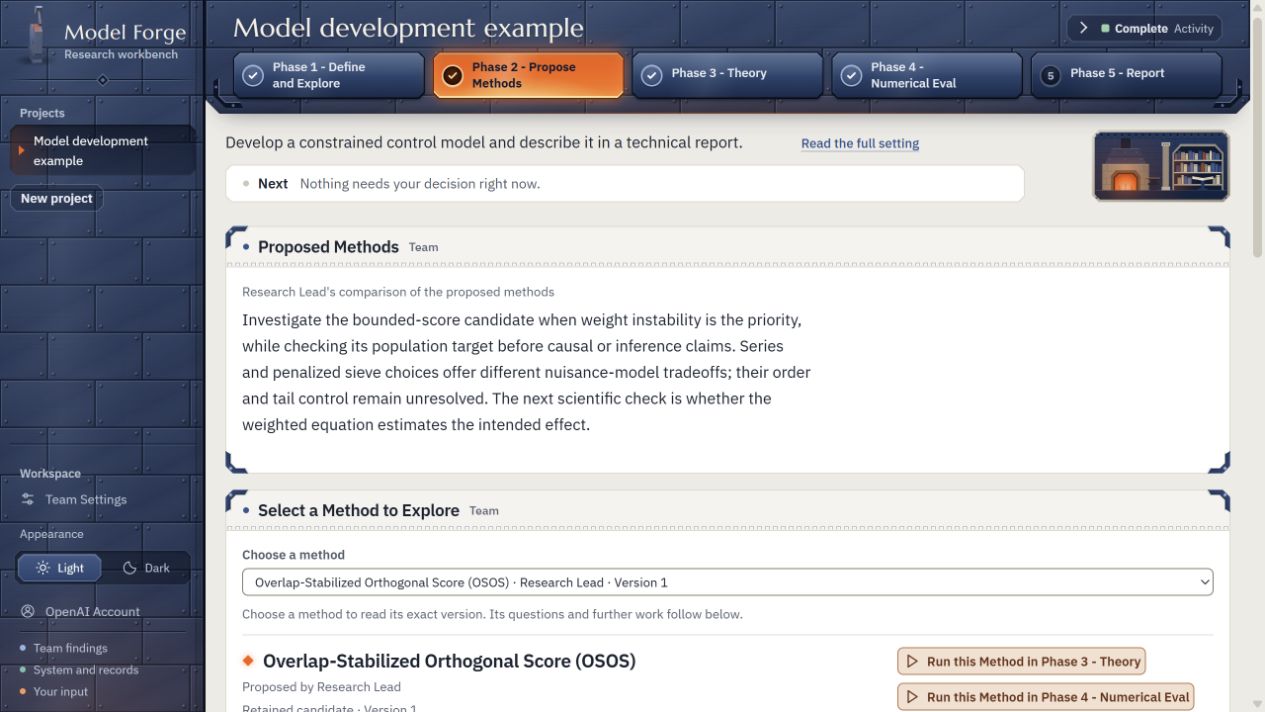
Model Forge v0.9.2A local research workbench for developing statistical models and algorithms with an AI team.
Model Forge is a standalone user interface that uses your ChatGPT subscription or a custom API provider to develop statistical models and algorithms with an AI research team. The system explicitly frames crucial model development decisions for you to make, presenting the reasoning and available options. You can ask targeted questions, explore alternatives, and select options directly in the interface to guide the research.
Model Forge’s World of Warcraft-inspired workbench, shown with simulated example content. Select the image to enlarge it.
The Codex edition is available on npm as a prerelease. Complete the one-time setup for Node.js 22+, Python 3.11+, and the backend dependencies, then launch it with:
npx @rqzhu-aide/model-forge-codex@next web
Research reading
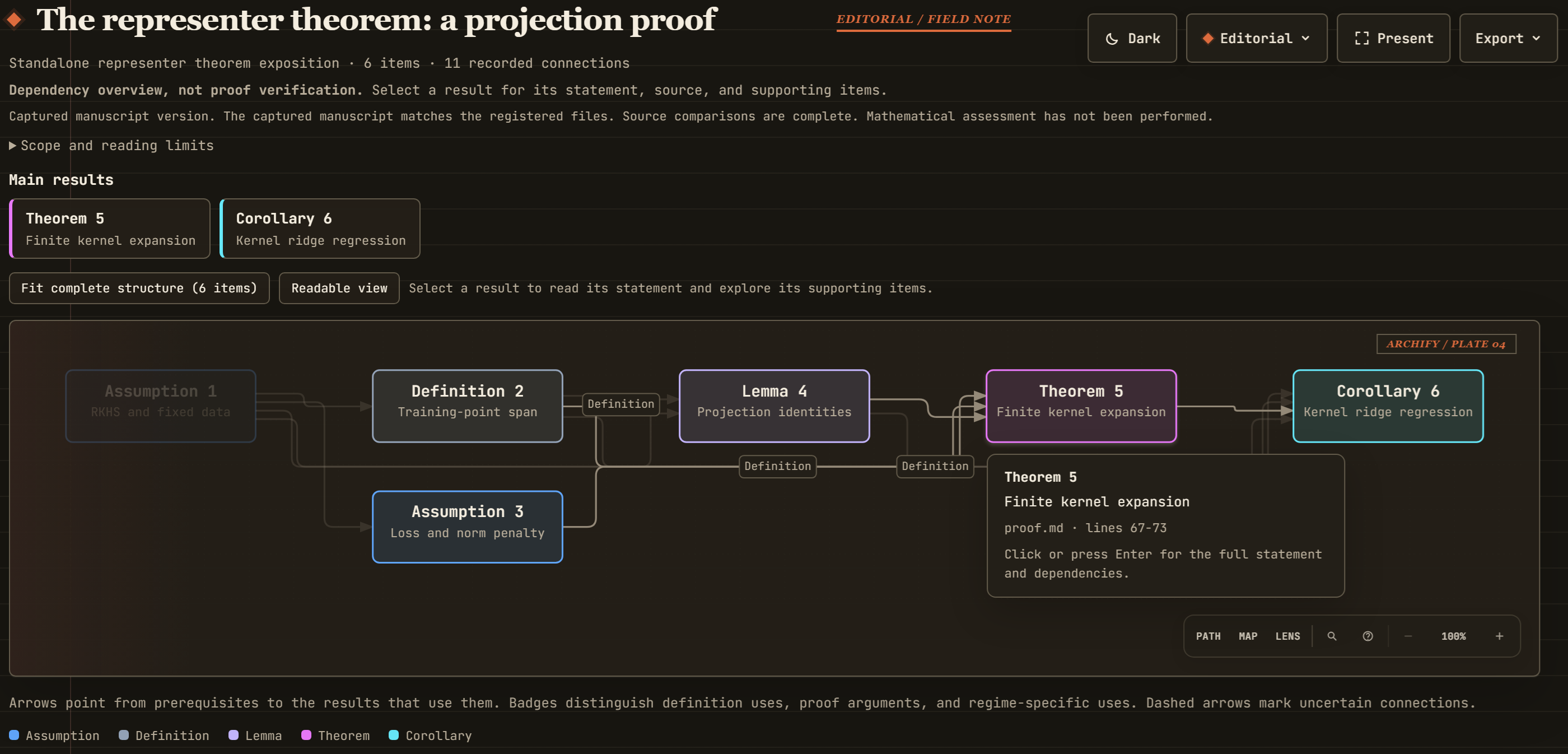
Proof Graphify v3.3.5Graph style visualization of a proof and its dependencies.
Inspired by the Archify skill, proof-graphify turns TeX or PDF papers into interactive maps of main results, proof ideas, and important prerequisites. Readers can inspect source passages, follow dependencies, and share each map as a standalone HTML file. It shares the same backend core and interactive reader with Proof Check, a separate skill that examines written arguments using LLMs and independent review. Graphify supports reading and navigation; Proof Check records findings and unresolved limits. Neither provides formal proof verification. The toy example below illustrates the representer theorem.
A toy example: the representer theorem. Select the image to enlarge it.
Writing and review
Statistical paper skillsSkills for writing manuscripts, developing clear mathematical proofs, and reviewing papers.
This collection supports statistical and machine-learning papers through three complementary skills:
Manuscript writing v1.6.5 drafts, restructures, and polishes exposition, notation, and presentation while preserving scientific claims.
Proof writing v0.3.1 develops or clarifies proofs by making derivations, assumptions, and the purpose of each step explicit.
Paper review v1.2.7 critically assesses contributions, methods, theory, and evidence, with priorities and recommendations for revision.
Research workflow
Interactive causal consulting v8.0.15A conversational skill for developing causal questions, planning studies, and interpreting evidence.
The causal-consultant skill helps researchers, students, and collaborators develop causal questions, plan studies and analyses, and interpret evidence through conversation. It seeks context that could change a recommendation, compares defensible approaches and alternative explanations, and keeps assumptions and uncertainty beside causal claims. Users can provide partial answers, ask for explanations, and choose useful next steps. Saved project memory retains decisions, findings, and unresolved questions across sessions; users can change direction or pause, and reports are optional. The companion interactive-test skill uses adaptive conversations with simulated users and separate review to examine scientific reasoning, useful recommendations, and continuity.
Teaching platform
Popping v1.3.3An interactive classroom platform for team discussions, presentations, and peer feedback.
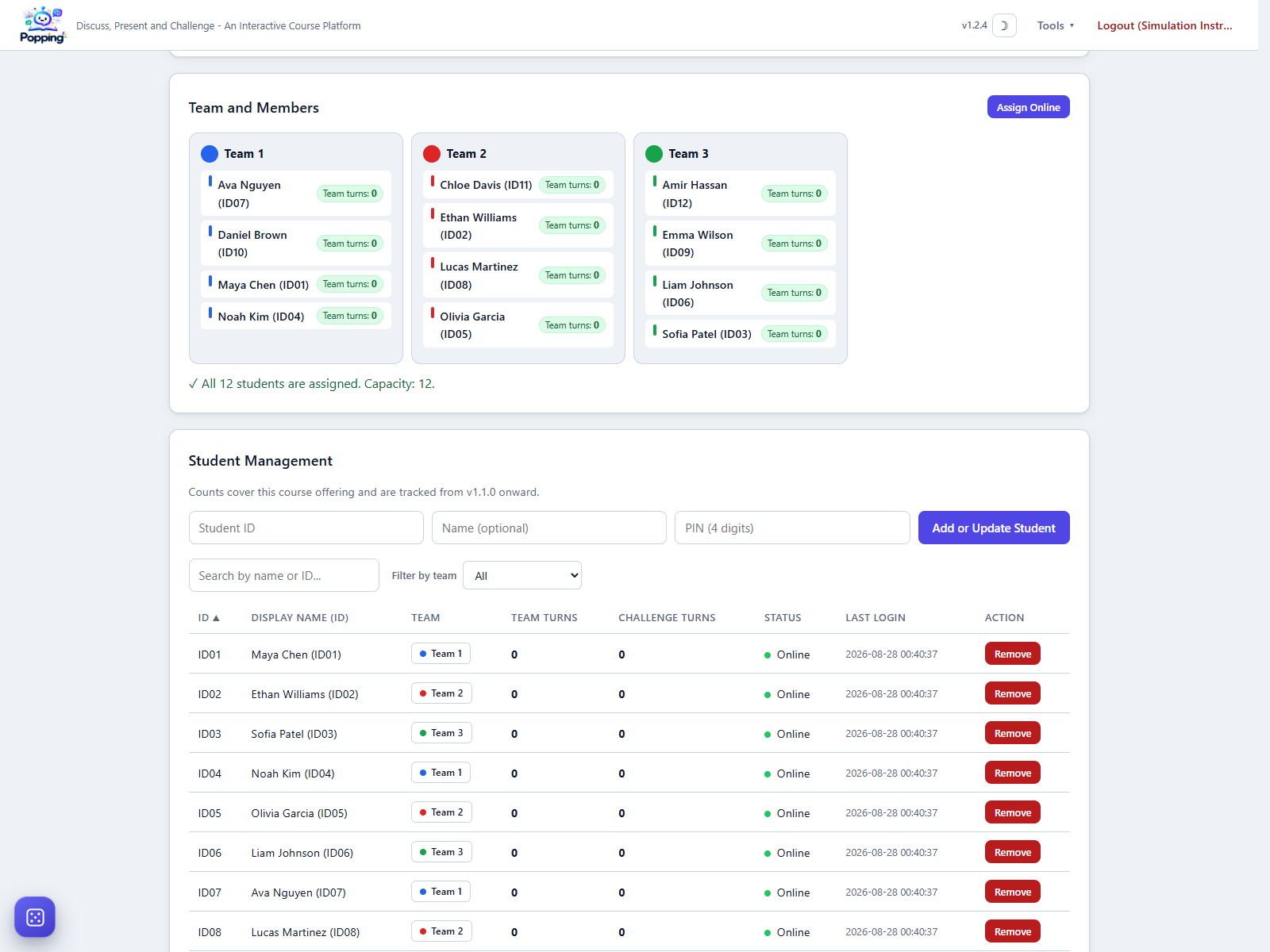
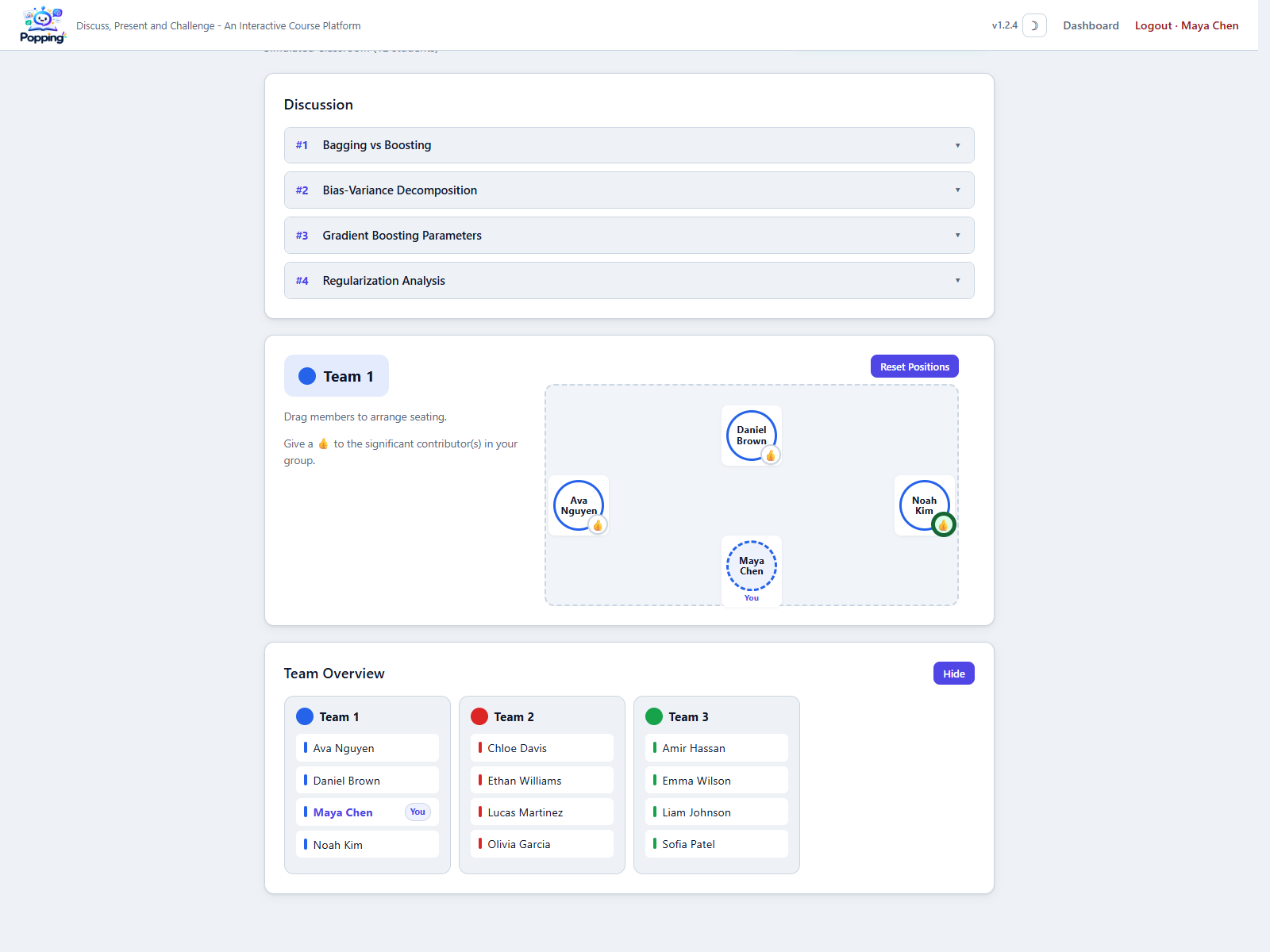
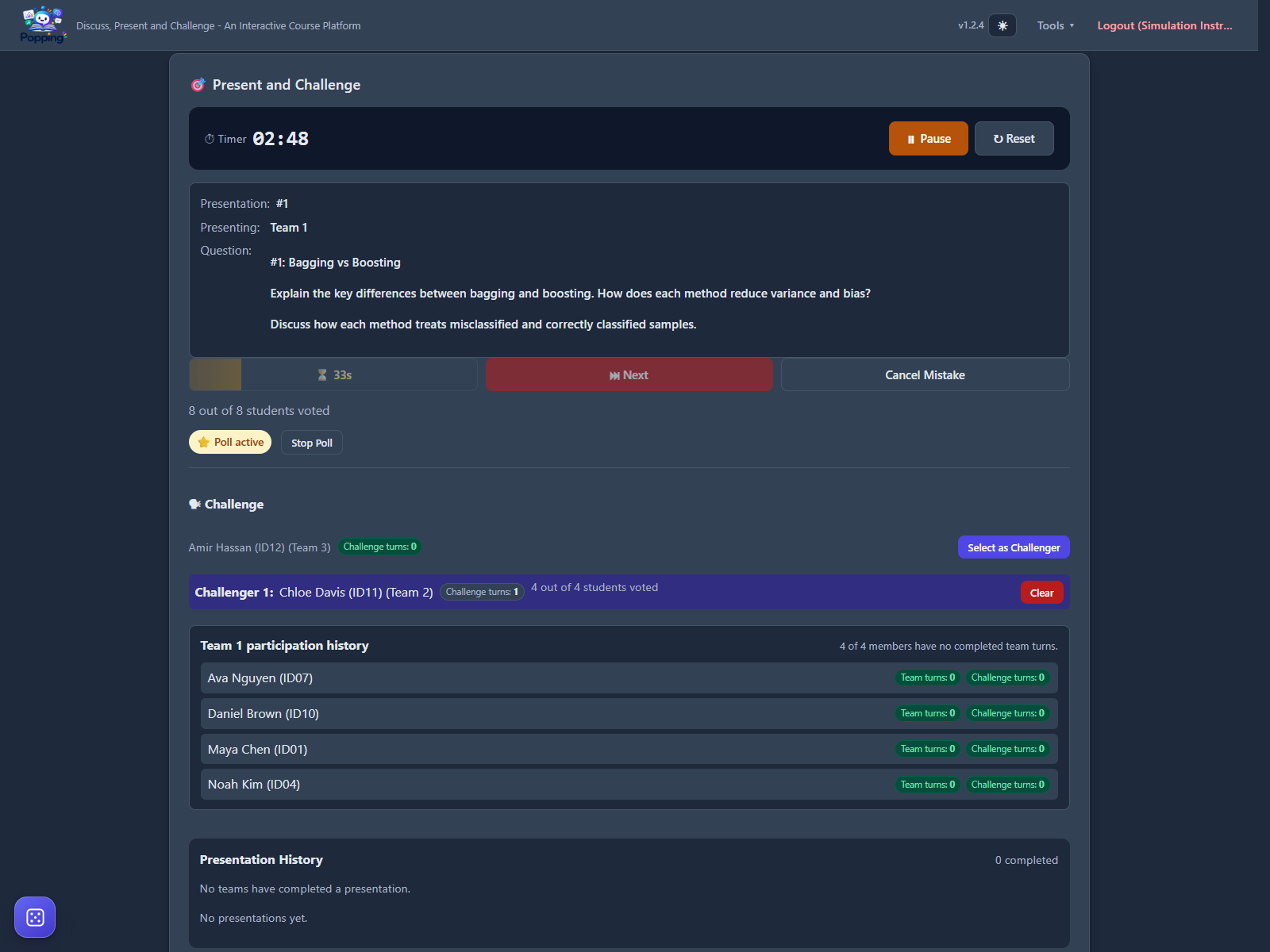
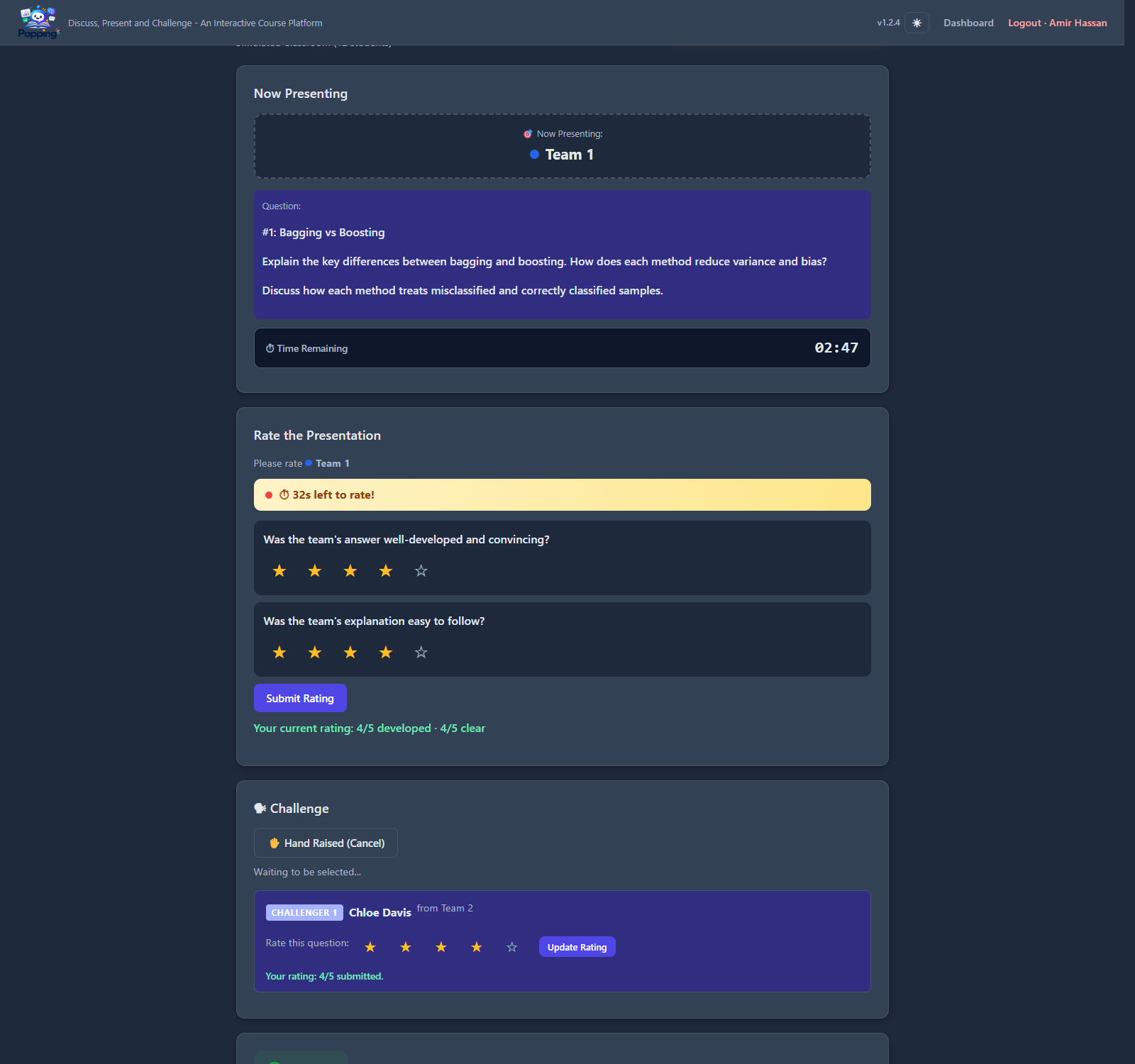
Popping is an interactive classroom platform for instructors and students who use team-based discussion and presentation activities. Its Present and Challenge mode is a central feature: instructors can run timed team presentations and structured challenges, while students ask questions, respond to challenges, and submit peer ratings in real time. The platform also supports team selection, small-group discussion, peer recognition, and exportable participation and rating data. I currently deploy the Popping website on Render. Running a live instance requires a backend server and database to manage classroom sessions, teams, participation records, and ratings. Anyone can explore the classroom workflow through the private demo without creating an account.
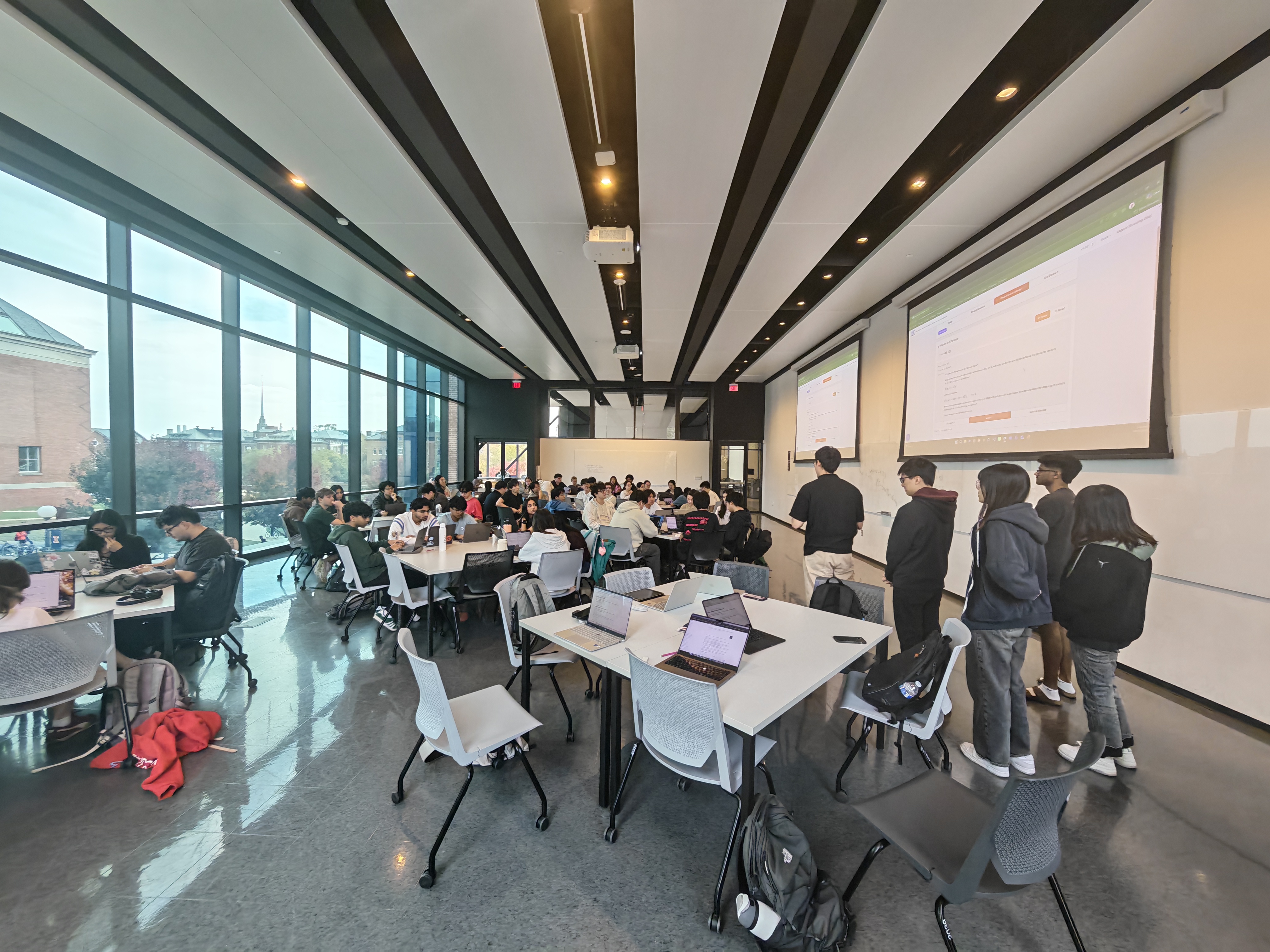
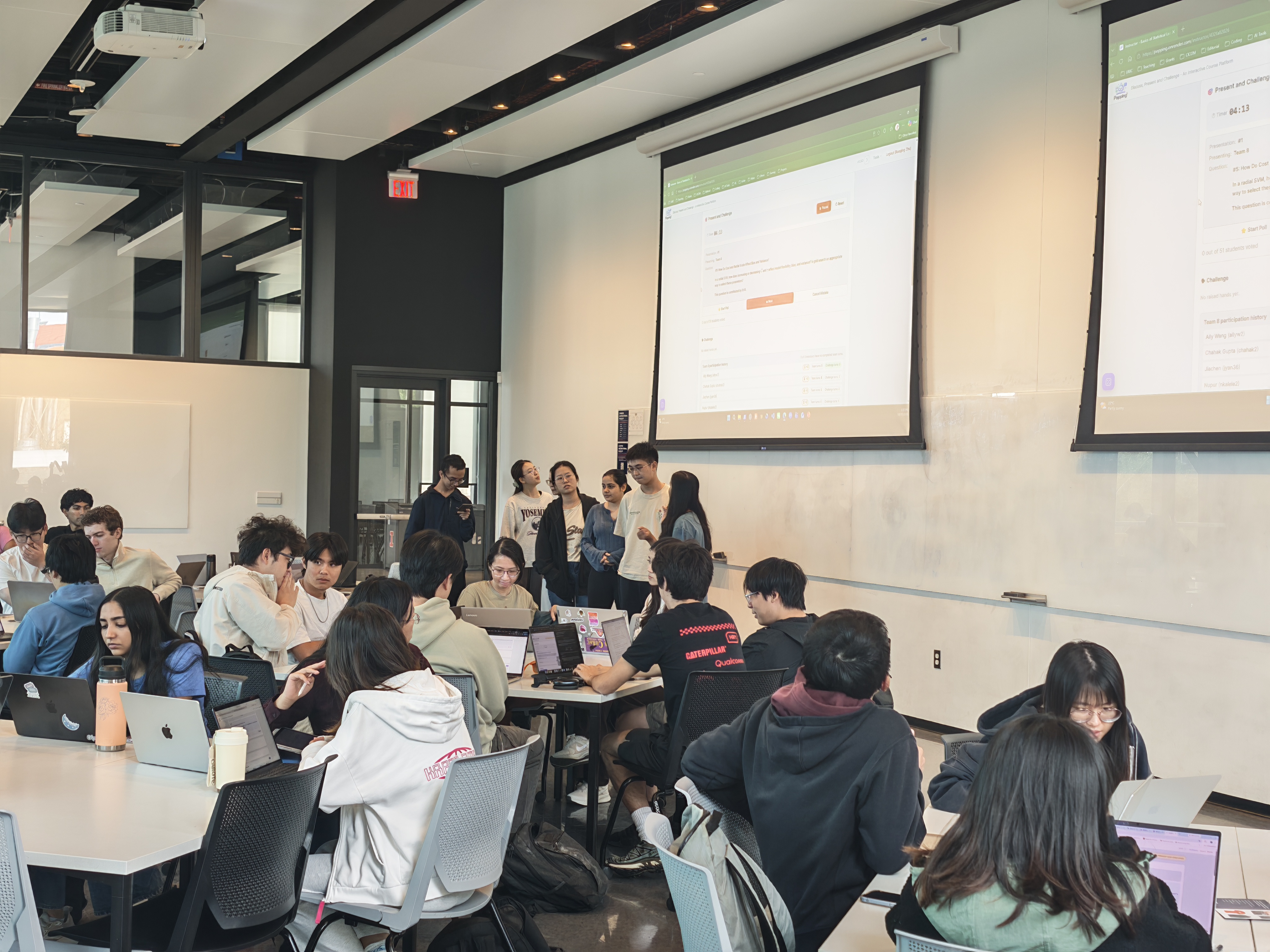
The classroom photos and screenshots below show Popping in use, from team discussion to presentation, rating, and challenge. Select any image to enlarge it.
Popping in the classroom
A classroom session with Popping, October 27, 2026.
Presentations and discussion with Popping, October 27, 2026.
From team setup to discussion
Instructor view: creating teams and monitoring participation.
Student view: working with an assigned team during group discussion.
Presentation and challenge
Instructor view: managing a timed presentation, live poll, and challenge.
Student view: rating a presentation and joining the challenge phase.